
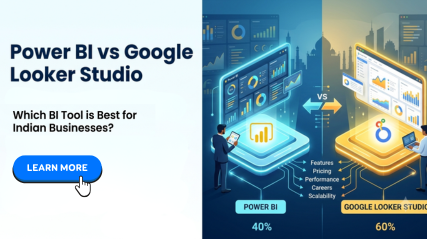
Power BI vs Google Looker Studio: Which Is Better for Indian Businesses?
If you run a business in India, whether it is a startup in Bangalore, a manufacturing unit in Coimbatore, or a retail chain in Chennai you have probably faced this question at some point: “Which BI tool should we use to make sense of our data: Power BI vs Google Looker Studio?”
With so many businesses generating huge volumes of sales, finance, and operations data every day, choosing the right Business Intelligence (BI) tool can directly impact decision-making, growth, and profitability. However most business owners and analysts get stuck comparing free tools vs paid tools, wondering which one will actually scale with their business.
In this blog, we will do a detailed, side-by-side comparison of Power BI and Google Looker Studio, specifically from the lens of Indian businesses, covering pricing in INR, features, ease of use, scalability, and career opportunities. By the end, you will have complete clarity on which tool suits your business, and how Power BI training can help you or your team master it.
Quick Overview: What Are Power BI and Google Looker Studio?
What is Power BI?
Power BI is Microsoft’s enterprise-grade business intelligence and data visualization tool. It allows users to connect to multiple data sources (Excel, SQL Server, CRM systems, cloud platforms, ERP tools), transform raw data using Power Query, build data models, and create interactive dashboards using DAX (Data Analysis Expressions).
Power BI is widely used by MIS executives, financial analysts, data analysts, and corporate teams across India because it integrates seamlessly with Excel, the tool most Indian professionals are already comfortable with.
What is Google Looker Studio?
On the other hand, Google Looker Studio (formerly Google Data Studio) is a free, cloud-based reporting and visualization tool from Google. It is primarily designed to connect with Google’s own ecosystem such as Google Sheets, Google Analytics, Google Ads, and BigQuery, and create simple, shareable reports and dashboards.
It is popular among digital marketers, small startups, and freelancers who primarily work within the Google ecosystem and need lightweight, web-based reporting.
Power BI vs Google Looker Studio: Feature Comparison Table
| Feature | Power BI | Google Looker Studio |
| Data Source Connectivity | 100+ connectors – Excel, SQL Server, SAP, Oracle, ERP, CRM, Cloud Services | Mostly Google ecosystem (Sheets, Analytics, Ads, BigQuery) plus limited third-party connectors |
| Data Transformation | Advanced – Power Query (M Language) for cleaning, merging, and reshaping data | Basic – limited transformation, mostly relies on source data being pre-cleaned |
| Data Modeling | Strong – relationships, star/snowflake schemas, calculated tables | Limited – basic blending of data sources |
| Calculations & Formulas | DAX (Data Analysis Expressions) – powerful and flexible | Basic calculated fields only |
| Visualization Options | Extensive built-in visuals + custom visuals from marketplace | Decent visuals, but fewer customization options |
| Performance with Large Data | Handles large datasets efficiently with in-memory engine (Vertipaq) | Can slow down with large or complex datasets |
| Offline Access | Yes (Power BI Desktop works offline) | No – fully cloud/browser-based |
| Row-Level Security | Yes (Power BI Pro/Premium) | Limited |
| Mobile App | Dedicated Power BI mobile app | Browser-based access only |
| Ease for Beginners | Moderate learning curve, but very intuitive once trained | Easier to start, but limited depth |
| Industry Adoption in India | Very high – used by MNCs, banks, manufacturing, retail, IT companies | Moderate – mostly digital marketing agencies and small teams |
| Career Demand | High – consistently listed in MIS, analyst, and BI job postings | Lower – niche, mostly marketing analytics roles |
Power BI vs Google Looker Studio: Pricing Comparison in INR
When it comes to Indian businesses, cost often decides the scale. Let’s compare how the two stack up on pricing:
| Plan | Power BI | Google Looker Studio |
| Free Version | Power BI Desktop is free for individual use (report creation) | Completely free for individuals and small teams |
| Power BI Pro | Approx. ₹650–₹750 per user/month (billed via Microsoft 365) | Not applicable |
| Power BI Premium (Per User) | Approx. ₹1,650–₹1,700 per user/month | Not applicable |
| Power BI Premium (Capacity-based, for organizations) | Starts around ₹4,00,000+ per month depending on capacity | Not applicable |
| Looker Studio Pro | Not applicable | Paid tier available for larger teams, pricing varies and is on the higher side for enterprise use |
Key takeaway: Google Looker Studio looks attractive because it’s “free,” but free tools often come with limitations in data connectivity, transformation, and scalability.
Power BI, on the other hand, offers a free desktop version for learning and individual use, with affordable paid tiers that scale as your business grows, making it a smarter long-term investment for Indian businesses, especially when paired with proper Power BI training.
Choosing Between Power BI and Google Looker Studio for Your Indian Business
Let’s break this down by business scenario, which is based on your business size, industry, and existing technology present.
1. For Small Businesses and Startups
If your business runs mostly on Google Workspace (Gmail, Sheets, Google Ads) and you just need quick visual reports for marketing campaigns, Google Looker Studio can be a good starting point, it is free and simple.
However, most Indian small businesses still rely heavily on Excel for inventory, sales, accounts, and operations. Since Power BI integrates natively with Excel and offers a free desktop version, it is often the more practical long-term choice, which is even for small businesses, especially those planning to scale.
2. For MIS Executives, Analysts & Accountants
This is where Power BI clearly leads. MIS executives and analysts deal with large datasets from ERP systems, SQL databases, and multiple Excel files. Power BI’s Power Query, data modeling, and DAX capabilities allow users to clean, merge, and analyze this data far more efficiently than Looker Studio’s basic blending features.
If you are an MIS executive or analyst in India looking to upskill, a structured Power BI dashboard training program can significantly boost your reporting speed and accuracy.
3. For IT Professionals and Corporate Teams
Corporate teams in India, across banking, manufacturing, automotive, IT, and retail are strongly using Power BI because of its enterprise-grade security (Row-Level Security), integration with Microsoft 365, SharePoint, Teams, and SQL Server, and its ability to handle large, complex datasets.
Google Looker Studio simply was not built for this level of enterprise reporting and governance.
4. For Students and Career Seekers
If you are a student or working professional planning a career in data analytics, business intelligence, or MIS, Power BI career opportunities are significantly higher in India compared to Looker Studio roles. Most job postings for Data Analyst, BI Developer, and MIS Executive roles explicitly mention Power BI as a required skill, and many companies also value a recognized Power BI certification.
5. For Digital Marketing Agencies
This is one area where Google Looker Studio genuinely shines, it connects effortlessly with Google Analytics and Google Ads, making it ideal for marketing performance dashboards.
If your business is purely digital-marketing focused, Looker Studio can complement your workflow well.
Common Indian Business Use Cases
Here’s how Indian businesses typically use these tools in real scenarios:
- A textile manufacturing unit in Tamil Nadu uses Power BI to connect production data from Excel sheets across multiple plants, building a single consolidated dashboard for management review.
- A digital marketing agency in Madurai uses Google Looker Studio to create client-facing reports showing Google Ads performance and website traffic from Google Analytics.
- An accounting firm in Chennai uses Power BI to build automated financial dashboards (P&L, cash flow, receivables) by connecting directly to Tally exports and Excel files, reducing manual reporting time from days to hours.
Why Power BI Wins for Most Indian Businesses
While Google Looker Studio has its place, especially for marketing teams who are already inside the Google ecosystem Power BI consistently comes out ahead for Indian businesses because of:
- Seamless Excel Integration – Most Indian businesses run on Excel, and Power BI builds directly on that foundation.
- Scalability – From a 10-person startup to a 10,000-employee enterprise, Power BI scales with your business.
- Strong Data Security – Row-Level Security and enterprise governance make it suitable for sensitive financial and operational data.
- Career Value – Power BI skills are in high demand across MIS, analytics, finance, and IT roles in India.
- Cost-Effective Growth Path – Start free with Power BI Desktop, then scale to Pro or Premium only when needed.
For businesses serious about business intelligence tools India-wide, and for professionals wanting strong dashboard reporting software skills, Power BI is the smarter, future-proof choice.
How Excel Prodigy Can Help You Master Power BI
At Excel Prodigy, Chennai’s leading Excel and Power BI training institute, we have trained over 1,500+ professionals and corporate teams across India in Power BI: from basics to advanced dashboard building. Our Power BI training in Chennai is designed for:
- Small business owners and startup founders who want to build their own dashboards
- MIS executives and analysts looking to automate reporting
- Accountants who want to convert Tally/Excel data into visual reports
- IT professionals and students preparing for analytics careers
- Corporate teams across Chennai, Mumbai, Delhi, Bangalore, Hyderabad, and Pune
What You will Learn in Our Power BI Course for Beginners
Our hands-on, instructor-led program covers:
- Power BI Desktop, Power Query, and Power Pivot
- Data visualization techniques (charts, maps, KPIs, slicers)
- DAX formulas — from basic to advanced
- Data modeling with star and snowflake schemas
- Publishing and sharing dashboards via Power BI Service
- Row-Level Security and enterprise reporting practices
All sessions are conducted by Microsoft Certified Trainers with real-world datasets, giving you practical, job-ready skills, not just theory.
Power BI Training in Chennai and Tamil Nadu, Why Choose Excel Prodigy?
If you’re searching for the best Power BI course in Chennai, here’s why Excel Prodigy stands out:
- Microsoft Certified Trainers with real industry experience
- Tailored curriculum for corporate employees, students, and individuals
- Hands-on training using real-time datasets and dashboards
- Flexible batches — weekday and weekend options, online and in-person
- Post-training support to help you apply what you’ve learned
- 300+ professionals placed across India after training
Whether you’re looking for a Power BI institute in Chennai, a Power BI class in Chennai, or Power BI training in Tamil Nadu more broadly, Excel Prodigy’s online and in-person batches make quality training accessible no matter where you are located.
Microsoft Power BI Training: Course Highlights
Here is a shorter table of what makes our Microsoft Power BI training program comprehensive:
| Module | What You will Master |
| Introduction to Power BI | Self-service BI, Power BI architecture, and workflow |
| Power BI Desktop | Power Query, Power Pivot, Power Map, Power View |
| Data Visualization | Bar charts, line charts, maps, KPIs, custom visuals |
| Power Query | Data cleaning, merging, transformation using M-language |
| Data Modeling | Relationships, star/snowflake schemas, cardinality |
| DAX | Calculated columns, measures, time intelligence functions |
| Power BI Service | Publishing, sharing, dashboards, Row-Level Security |
This structured approach ensures that even complete beginners can confidently progress to advanced Power BI reporting tools and dashboard creation.
Final Verdict: Power BI vs Google Looker Studio
If your business operates primarily within the Google ecosystem and only needs lightweight marketing dashboards, Google Looker Studio can serve as a free, simple option.
However, for the vast majority of Indian businesses, across manufacturing, finance, logistics, retail, IT, and consulting, Power BI is the more powerful, scalable, and career-relevant choice.
Its deep Excel integration, advanced data modeling, stronger security features, and higher demand in the Indian job market make it the smarter investment for both businesses and professionals.
If you are ready to build your Business Intelligence skills and create dashboards that actually drive decisions, it is the right time to invest in proper training.
Ready to Get Started with Power BI?
Whether you are a business owner, MIS executive, student, or corporate team looking to upskill, Excel Prodigy’s Power BI training in Chennai and across Tamil Nadu can help you go from beginner to confident dashboard builder.
👉 Enroll in Excel Prodigy’s Power BI Training Course Now
Frequently Asked Questions (FAQs)
1. Is Power BI better than Google Looker Studio for small businesses in India?
For most small businesses, especially those using Excel for daily operations, Power BI offers better long-term value due to its scalability, Excel integration, and affordable pricing structure starting with a free desktop version.
2. Is Google Looker Studio completely free?
Yes, the core version of Google Looker Studio is free to use. However, it has limitations in data connectivity, transformation, and performance with large datasets compared to Power BI.
3. How much does Power BI cost in India?
Power BI Desktop is free for individual use. Power BI Pro costs approximately ₹650–₹750 per user/month, while Premium plans start higher depending on whether you choose per-user or capacity-based licensing.
4. Do I need coding skills to learn Power BI?
No. Power BI is designed to be user-friendly and does not require programming knowledge. With structured Power BI training, even beginners with no technical background can build professional dashboards.
5. What are the career opportunities after learning Power BI?
Power BI career opportunities in India include roles like Data Analyst, BI Developer, MIS Executive, Business Analyst, and Reporting Specialist, across industries like IT, banking, manufacturing, and retail.
6. Where can I find Power BI training in Chennai or Tamil Nadu?
Excel Prodigy offers Power BI training in Chennai and across Tamil Nadu (including online options for Madurai, Coimbatore, and other cities), with both weekday and weekend batches led by Microsoft Certified Trainers.
7. Is Power BI suitable for accountants and finance professionals?
Yes. Power BI is widely used by accountants and finance teams to build automated dashboards for P&L statements, cash flow analysis, and budget tracking