
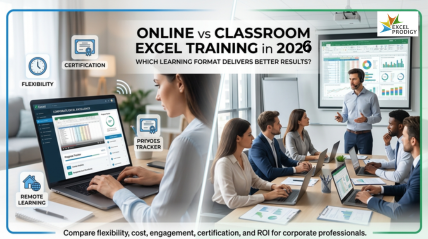
Best Excel Training Courses for Corporate Professionals in 2026: Online Learning vs Classroom — Which Wins?
Choosing the best Excel training course for corporate professionals in 2026 is one of the smartest career investments you can make. Whether you prefer the flexibility of online Excel courses or the structure of classroom-based Excel training, this comprehensive guide breaks down every option — helping you decide which learning format delivers the greatest return for your team or your own career growth.
1. Why Excel Skills Matter for Corporate Professionals in 2026
In today’s data-driven corporate environment, Microsoft Excel proficiency is no longer optional — it is a fundamental workplace skill. From financial analysts and project managers to HR professionals and marketing teams, Excel expertise directly impacts productivity, accuracy, and decision-making speed.
Key reasons corporate professionals seek Excel training in 2026:
- Automate repetitive tasks using Excel macros and VBA to save hours every week
- Build dynamic dashboards and data visualisations for executive reporting
- Master Excel pivot tables and Power Query for fast, accurate data analysis
- Use advanced Excel formulas — INDEX MATCH, XLOOKUP, SUMIFS — for complex calculations
- Improve financial modelling skills for budgeting, forecasting, and scenario planning
- Enhance collaboration using Excel for Microsoft 365 with real-time co-authoring
Professionals who complete structured Excel training programmes consistently report higher job performance ratings, faster task completion, and increased confidence when presenting data to stakeholders. The demand for certified Excel professionals continues to grow across industries including banking, consulting, logistics, healthcare, and technology.
2. Online Excel Training vs Classroom Excel Training: A Side-by-Side Comparison
When evaluating the best Excel course for your needs, the core decision comes down to format: online Excel learning or in-person classroom Excel training. Both approaches have proven results — the right choice depends entirely on your schedule, learning style, team size, and budget.
Online Excel Training: Advantages
- Learn at your own pace — access Excel tutorials anytime, anywhere
- Self-paced Excel courses suit busy corporate schedules with no fixed timings
- More affordable than in-person corporate Excel workshops
- Instant access to recorded sessions, downloadable Excel practice files, and lifetime content updates
- Scalable for large teams — enrol 5 or 500 employees simultaneously
- Ideal for beginner to advanced Excel learners across multiple skill levels
- Certificates of completion shareable on LinkedIn and resumes
Classroom Excel Training: Advantages
- Hands-on learning with real-time instructor feedback
- Structured environment minimises distractions and accelerates skill retention
- Face-to-face interaction encourages group problem-solving and discussion
- Ideal for corporate Excel workshops where team alignment is the goal
- Customisable content tailored to specific industry use cases — finance, HR, operations
- Direct Q&A with a certified Excel trainer keeps learning focused
- Networking opportunities with peer professionals during in-person sessions
Bottom Line: Neither format is universally superior. Online Excel training wins on flexibility, cost, and scalability. Classroom Excel training wins on immersion, instructor interaction, and team cohesion. The ideal solution? A provider that offers both — so you can choose based on your specific needs at any given time.
3. Best Online Excel Courses for Corporate Professionals
The market for online Excel training courses has grown dramatically. Here are the most important features to look for when selecting the best online Excel course for corporate use:
What Makes a Great Online Excel Training Programme?
- Covers beginner, intermediate, and advanced Excel levels in a structured curriculum
- Includes real-world Excel case studies relevant to corporate roles
- Offers Excel practice exercises with downloadable workbooks
- Provides a recognised Excel certification upon course completion
- Features instructor-led video lessons, not just static text
- Includes dedicated modules for Excel Power Query, Power Pivot, and dashboards
- Offers lifetime access so professionals can revisit content as needed
Top online Excel courses for professionals typically cover core topics such as conditional formatting, data validation, Excel tables, VLOOKUP vs XLOOKUP, pivot tables, advanced charting, and Excel automation with macros. The best programmes also include industry-specific Excel templates that learners can immediately apply in their jobs.
Online Excel Training Formats Available
- Self-paced video courses with downloadable resources
- Live virtual Excel training sessions via Zoom or Microsoft Teams
- Blended learning — combine recorded content with live Q&A webinars
- Corporate Excel e-learning portals with progress tracking and admin dashboards
4. Best Classroom Excel Training Programs
In-person Excel training remains highly valuable for organisations that want their teams to develop Excel skills together, work through company-specific data challenges, and benefit from structured instruction in a focused environment.
Who Should Choose Classroom Excel Training?
- Corporate teams who need consistent Excel skill levels across departments
- Professionals who learn best through direct instructor interaction
- Organisations running Excel training as part of onboarding programmes
- Teams working on specific projects who need Excel skills aligned to their workflow
- Managers seeking group certification in Excel for business reporting
What to Expect from a Classroom Excel Training Workshop
- Half-day, full-day, or multi-day Excel training formats based on skill level
- Small class sizes (typically 8–15 participants) for personalised learning
- Hands-on exercises using real corporate Excel datasets
- Printed Excel reference guides and take-home workbooks
- Post-training support with access to trainer for follow-up questions
- Customised Excel training content aligned to your industry vertical
5. How Excel Prodigy Offers Both Online and Offline Excel Training
At Excel Prodigy, we believe the best Excel training is the one that fits your life — not the other way around. That is why we provide both online and classroom-based Excel training solutions, giving individuals and organisations the freedom to choose the format that works best for them.
Our Online Excel Training Offerings
- Comprehensive self-paced online Excel courses from beginner to advanced levels
- Live virtual Excel sessions with certified trainers — interactive and Q&A-driven
- Dedicated corporate Excel e-learning packages with team enrolment and reporting
- Excel certification programmes recognised by employers
- New modules added regularly to cover Excel 365 features and updates
Our Classroom Excel Training Offerings
- On-site corporate Excel training workshops delivered at your office premises
- Open-enrolment Excel classroom courses held at our training centres
- Custom Excel curriculum designed around your team’s specific tools and workflows
- Hands-on group training for up to 20 participants per session
- Post-workshop resources and 30-day trainer access for follow-up support
Whether you want to learn Excel online at midnight or sit in a focused training room with your team on a Monday morning, Excel Prodigy has a solution tailored for you. Our hybrid approach means you never have to compromise — you get the benefits of both worlds.



6. Which Excel Learning Format Is Right for You?
Choosing between online Excel training and classroom-based Excel training depends on several personal and organisational factors. Here is a practical framework to help you decide:
Choose Online Excel Training If:
- You have an unpredictable or demanding corporate schedule
- You want to learn at your own pace without fixed class timings
- Your team is geographically distributed across multiple locations
- You are looking for a cost-effective Excel training solution
- You prefer to revisit course content multiple times as you practise
Choose Classroom Excel Training If:
- You want immersive, distraction-free Excel skill development
- Your team benefits from shared learning and group exercises
- You prefer real-time feedback from a certified Excel instructor
- You need Excel training customised to your company’s specific data and processes
- You are running a structured corporate learning and development programme
Choose Both (Blended Excel Learning) If:
- You want the structure of classroom learning plus the flexibility of online review
- Your organisation needs scalable Excel training across multiple departments
- You want to reinforce classroom Excel skills with on-demand video content
- You are building a long-term Excel competency programme for your company
7. Advanced Excel Skills Every Corporate Professional Needs
Regardless of whether you choose online or classroom training, the following advanced Excel skills are most in demand among corporate professionals in 2026:
Data Analysis and Reporting
- Excel Pivot Tables — summarise and analyse large datasets in minutes
- Power Query (Get & Transform) — clean, merge, and reshape data from multiple sources
- Power Pivot and DAX — build advanced data models and calculated measures
- Excel dashboards — create interactive reports for executive presentations
Advanced Excel Formulas
- XLOOKUP — the modern replacement for VLOOKUP with greater flexibility
- INDEX MATCH — powerful two-dimensional lookup for complex data structures
- SUMIFS, COUNTIFS, AVERAGEIFS — multi-criteria aggregation formulas
- Dynamic array formulas — FILTER, SORT, UNIQUE, SEQUENCE for smarter data handling
- Nested IF statements and IFS function — logic-based calculations
Excel Automation and Productivity
- Excel Macros — record and run automated tasks to eliminate manual repetition
- VBA programming — write custom Excel code for business-specific automation
- Excel templates — build reusable frameworks for recurring reports and models
- Keyboard shortcuts and efficiency techniques — save hours each week
8. ROI of Excel Training for Businesses and Individuals
Investing in corporate Excel training delivers measurable returns across multiple business dimensions. Understanding the ROI helps decision-makers justify training budgets and prioritise learning programmes.
Business Benefits of Corporate Excel Training
- Reduced error rates in financial reporting and data entry
- Faster turnaround on analysis and reporting tasks
- Improved decision-making through better data insights
- Lower dependency on IT and external analysts for standard reporting
- Higher employee confidence and engagement when working with data
- Standardised Excel processes across departments and teams
Individual Career Benefits of Excel Certification
- Stronger resume with a recognised Excel qualification
- Higher salary potential — Excel-proficient professionals earn more across industries
- Greater contribution to team projects involving data and reporting
- Faster promotions in data-heavy roles like finance, operations, and analytics
- Increased professional confidence in client-facing presentations
9. Frequently Asked Questions (FAQs)
What is the best Excel training course for corporate professionals in 2026?
The best Excel training course depends on your goals and schedule. For flexibility, online Excel courses offered by Excel Prodigy allow you to learn at your own pace with industry-relevant content. For structured group learning, our classroom Excel training workshops are customised to your team’s needs. Both options lead to recognised Excel certification and practical skill development.
Is online Excel training as effective as classroom training?
Yes — when the course includes structured content, practice exercises, and instructor support. Research consistently shows that online learners who engage actively with course content achieve comparable outcomes to classroom learners. The key is choosing a quality programme with real-world Excel case studies, not just theory.
How long does it take to complete an Excel training course?
Beginner Excel courses typically take 6 to 10 hours to complete. Intermediate Excel training ranges from 10 to 20 hours. Advanced Excel programmes, including Power Query, Power Pivot, and VBA, can take 20 to 40 hours depending on depth. Classroom workshops are available in half-day, full-day, and multi-day formats.
Do corporate Excel training programmes offer certificates?
Yes. Excel Prodigy provides certificates of completion for all online and classroom Excel training programmes. These certificates validate your Excel proficiency level and can be shared on LinkedIn, added to your resume, or submitted to HR as part of your professional development record.
Can Excel training be customised for a corporate team?
Absolutely. Excel Prodigy specialises in bespoke corporate Excel training programmes that are designed around your industry, your data, and your team’s specific skill gaps. Whether delivered online or in a classroom setting, our trainers work with your organisation to ensure the content is immediately applicable to your day-to-day work.
Which Excel skills are most important for corporate professionals?
The most valued Excel skills in corporate settings include advanced formulas (XLOOKUP, INDEX MATCH, SUMIFS), pivot tables, Power Query, Excel dashboards, data visualisation, and Excel automation using macros and VBA. Financial modelling and scenario analysis skills are especially valuable in finance and consulting roles.
Is Excel still relevant in 2026 with tools like Power BI available?
Absolutely. Excel remains the most widely used data tool in global business. Power BI and Excel are complementary — many Power BI users also rely heavily on Excel for data preparation, financial modelling, and ad-hoc analysis. Excel proficiency is a prerequisite for most data roles and continues to rank among the top required skills across all corporate job postings.
What is the cost of corporate Excel training?
Online Excel training courses are typically more cost-effective, with programmes available for individual learners and volume corporate licences. Classroom Excel training costs vary based on group size, session duration, and customisation level. Excel Prodigy offers competitive pricing for both formats — contact us for a tailored quote for your team.
10. Final Verdict: Choose the Format That Fits Your Goals
After comparing online Excel training and classroom-based Excel training across every dimension — flexibility, cost, engagement, customisation, and outcomes — the honest answer is that both formats deliver excellent results when the content is well-structured and professionally delivered.
The real winner is not one format over the other — it is the learner who chooses a training provider that offers both.
Excel Prodigy is built exactly for this reality. We provide comprehensive online Excel courses for flexible, self-directed learners, and high-impact classroom Excel training workshops for teams who want immersive, instructor-led development. You choose what works best — we deliver results either way.
Ready to Elevate Your Excel Skills?
Whether you are a corporate professional looking to sharpen your individual Excel abilities or an L&D manager seeking scalable Excel training for your team, Excel Prodigy has the right solution — online or in person.
Browse our Excel training programmes at excelprodigy.com and take the first step toward becoming an Excel expert in 2026.