
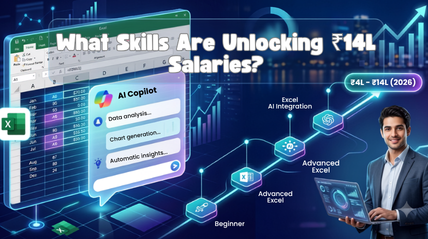
Excel + AI Copilot Skills Are Paying ₹4L to ₹14L in 2026 — Here’s the Roadmap
If you’ve scrolled through job postings lately, you’ve probably noticed something odd. Roles that used to say “Advanced Excel required” now say “Excel + Copilot experience preferred,” and the salary numbers next to them have jumped. Today, it means pairing Excel with AI to do in minutes what used to take a full day.
Companies are paying real money for that combination, anywhere from ₹4 lakhs for entry-level roles to ₹14 lakhs for professionals who can lead automation and reporting for an entire business unit. If you’re an aspirant wondering where to start, or a working professional trying to future-proof your career, read on.
Why Excel AI Copilot Skills Are the Highest-Paying Combo in 2026
Here’s the direct answer: Excel AI Copilot skills are commanding premium salaries in 2026 because enterprises have moved past experimenting with AI and are now embedding it into everyday operations, and Excel remains the tool where most of that operational data actually lives.
Every finance, sales, HR, and operations team still runs on spreadsheets. What’s changed is that those spreadsheets are now expected to talk to AI.
Microsoft 365 Copilot has made it possible to ask Excel a question in plain English and get a formula, chart, or forecast back instantly.
This is exactly why enterprise AI adoption is increasing so fast. A company doesn’t need to hire ten data analysts anymore if two employees with strong Excel AI training can produce the same output faster and with fewer errors.
That’s the quieter reason behind the pay: enterprise AI adoption only works when the people running these tools understand both the Excel logic underneath and the AI layer on top.
What Recruiters Actually Pay For: Breaking Down the ₹4L–₹14L Range
Let’s get specific, because vague salary claims don’t help anyone plan a career.
| Skill Level | Typical Role | Salary Range (Annual) |
| Beginner (Excel fundamentals + basic Copilot use) | Excel Executive, Data Entry Analyst | ₹4L – ₹6L |
| Intermediate (Excel automation, dashboards, AI for Excel) | MIS Executive, Business Analyst | ₹6L – ₹9L |
| Advanced (Microsoft Copilot training, forecasting, reporting) | Senior Analyst, Reporting Lead | ₹9L – ₹12L |
| Expert (corporate Excel training delivery, enterprise rollouts) | AI-Excel Consultant, Automation Lead | ₹12L – ₹14L |
Note: Pay increases with how well you combine core Excel skills with AI-driven automation. It’s about using AI to apply those formulas, models, and dashboards faster and at scale, beyond knowing the formula.
This range is not unique to one industry, manufacturing, IT services, retail, and BFSI all show the same digital transformation-driven pattern of paying more for roles at the Excel-AI intersection.
The Excel AI Copilot Skills Roadmap 2026: Step-by-Step
This is the part most aspirants want, an actual sequence to follow, not just a list of buzzwords.
Stage 1: Excel Fundamentals + Automation Basics
Before you touch AI tools, you need Excel automation fundamentals down:
- Formulas
- Pivot tables
- Power Query
- Basic macros.
This stage is non-negotiable it’s the base every Excel automation effort later depends on. AI can speed up your work, but it can’t replace not knowing what a correct output looks like.
Most structured Excel AI training programs insist on this stage precisely because skipping it creates gaps that show up later in interviews. Good Excel AI training always builds from this foundation rather than around it.
Stage 2: Microsoft 365 Copilot + Excel Copilot Skills
Once your basics are solid, move into Microsoft 365 Copilot. Learn how to prompt Copilot inside Excel to build formulas, summarize datasets, and generate visualizations, the exact focus of most Microsoft Copilot training curricula.
This is where most Excel Copilot skills training programs focus, and it’s where the salary jump usually starts. Getting comfortable with Microsoft 365 Copilot at this stage is what separates a casual user from someone recruiters actively shortlist.
Even a short Microsoft Copilot training program tends to pay for itself within the first appraisal cycle.
Stage 3: AI for Excel, Forecasting, Data Cleaning, Insights
Now go deeper into applied AI for Excel: automated data cleaning, trend forecasting, anomaly detection, and natural-language querying of large datasets.
This stage separates someone with basic Excel Copilot skills from someone recruiters actively seek out for AI workforce training-led roles.
Organizations investing in AI workforce training at scale are specifically looking for candidates who have practiced this stage on real, messy datasets, not just tutorial data.
Stage 4: Corporate-Ready Certification + Portfolio Projects
Finish with a recognized Excel certification and 2–3 real portfolio projects, a dashboard, an automated report, and an AI-assisted forecast model.
This is what turns a resume into an interview call, especially for roles built around corporate Excel training standards.
An Excel certification backed by visible project work signals both credibility and initiative to a hiring manager.
Excel Certification vs. Real-World Projects: What Actually Gets You Hired
An Excel certification opens the door, but it rarely closes the deal on its own. Hiring managers today ask, “Can you show me something you’ve built?” A certificate proves you completed a course. A project proves you can apply it.
The best approach combines both. Use your certification to validate your knowledge on paper, and use projects to prove it in practice. If you are choosing between two candidates with similar Excel certification credentials, the one with a working automated dashboard almost always wins the offer.
This is also why we structure our own Excel certification pathway, alongside our corporate Excel training programs, around live projects rather than theory alone.
How Enterprises Are Using This Combination
It helps to understand the employer’s side of this equation, because it explains why the pay is what it is.
- Excel for enterprises now means standardized, AI-assisted reporting across departments, not isolated spreadsheets on individual laptops. Rolling out Excel for enterprises this way reduces duplicate work across teams, which is also why AI workforce training budgets increasingly get tied directly to Excel for enterprises rollouts.
- Digital transformation initiatives increasingly start with Excel, since it’s the tool employees already know, making AI adoption faster and cheaper than rolling out new software. This is often the first visible step of a broader digital transformation strategy.
- Business productivity metrics improve measurably when repetitive reporting tasks are automated, freeing employees for analysis instead of data entry. Leadership teams track business productivity gains closely, since they translate business productivity improvements into numbers a budget review can approve.
- Companies investing in this shift see it as cheaper and faster than building custom software, which is exactly why they’re willing to pay skilled Excel-AI professionals well.
This is the real driver behind enterprise AI adoption: it’s not about replacing spreadsheets, it’s about making them intelligent. And enterprise AI adoption at this level always needs people on the ground who actually understand the spreadsheets being automated.
AI Upskilling Path for Employees Already in a Job
If you are already employed and wondering whether this roadmap applies to you, as it does, maybe even more so.
Many companies are now investing in employee AI training internally, but the employees who get selected for these programs, promotions, and raises are usually the ones who already show initiative.
Start using Copilot in your current Excel work now, even in small ways. Volunteer for reporting or automation tasks. Treat this as ongoing AI upskilling rather than a one-time course.
Working professionals who follow a structured AI upskilling path alongside their job tend to move into senior analyst or automation lead roles within 12–18 months, often with a salary jump that reflects their new capability and consistent AI upskilling is usually the deciding factor recruiters mention.
If your organization already runs employee AI training sessions, sign up even if it feels optional, early adopters are usually first in line when automation-lead roles open up.
Common Mistakes Aspirants Make (and How to Avoid Them)
- Skipping Excel fundamentals to jump straight into AI tools. Copilot amplifies your existing skill, it does not replace it.
- Treating certification as the finish line. Recruiters want proof of application, not just proof of attendance.
- Learning Copilot features without context. Knowing that a feature exists isn’t the same as knowing when a business problem calls for it.
- Ignoring corporate Excel training standards. Enterprises often expect specific formatting, security, and reporting conventions that generic tutorials don’t cover, and corporate Excel training is usually where aspirants first encounter these expectations, since generic online courses rarely cover them.
- Not building a portfolio. Even two or three solid projects can be the difference between shortlisted and overlooked.
How Excel Prodigy Helps
This is exactly the gap Excel Prodigy was built to close for new joinees and career switchers stepping into this roadmap.
Instead of a generic Excel course bolted onto a generic AI module, our training is designed around what enterprises are actually hiring for right now including a dedicated Excel with AI program built specifically for this shift, not repurposed from an old Excel 2016 syllabus.
Four things set this apart if you’re deciding where to learn this roadmap from:
- 13+ years training corporates, not just individuals. We have spent over a decade inside company training rooms, which means the curriculum reflects what MIS, finance, and reporting teams actually struggle with on the job, not textbook scenarios.
- 50,000+ professionals trained, 2,000+ corporate sessions delivered. This is not a startup guessing at a syllabus. That volume of repeat corporate engagements, for organizations like Ecolab, HP, and PwC is what refines a course into something that maps directly to real hiring criteria.
- Microsoft Certified Trainers running every session. Sessions are led by Microsoft Certified Trainers, which matters directly for anyone chasing recruiter-recognized Excel certification.
- Post-training support, not a one-and-done workshop. The learning does not stop when the session ends. Post-training support means questions from your actual work, the messy dataset you’re stuck on three weeks later, still get answered, which is what turns a certificate into a usable skill.
If you are a new joinee trying to figure out where to start on this roadmap, this track record is the difference between a course that looks good on a certificate and one that actually gets you shortlisted for the ₹6L–₹14L roles
Ready to Start Your Roadmap?
The gap between an Excel resume line and an Excel-AI career is closing fast, and 2026 is the year it closes for good. The aspirants and working professionals move through this space to know one thing for certain: the ones who commit to this roadmap early are not just executing automation projects two years from now, they’re leading them.
The roadmap works, only once you start it. It’s not about adding a buzzword to your CV, it is about building a skill combination that recruiters are actively budgeting for, right now, at every level. Join Excel Prodigy today and take the first step on the Excel AI Copilot Skills Roadmap 2026.
2026 is rewarding Excel-AI skills like never before. Don’t wait for the next hiring cycle, enroll with Excel Prodigy now.
Frequently Asked Questions
1) What is the Excel AI Copilot Skills Roadmap 2026?
It’s a structured learning path that takes you from core Excel fundamentals through Microsoft 365 Copilot, applied AI for Excel, and certification, designed to match what recruiters are currently hiring and paying for.
2) Is Microsoft Copilot training worth it in 2026?
Yes. As enterprise AI adoption grows, companies need employees who can use Copilot inside everyday tools like Excel, not just understand AI theoretically. This makes Microsoft Copilot training directly relevant to hiring decisions across finance, operations, and IT services roles.
3) How much can I earn after Excel Copilot certification?
Higher Excel Copilot skills competency generally maps to the higher end of that range, which is why recruiters now list Excel Copilot skills as a distinct line item in job descriptions.
4) Do I need a technical background to start this roadmap?
No. Most successful aspirants come from commerce, finance, or operations backgrounds. What matters is a willingness to learn Excel fundamentals first, take structured Excel AI training, and build Excel automation skills gradually from there.
5) How long does it take to complete the roadmap?
Most aspirants complete the four stages in 3–6 months with consistent practice, though working professionals following an AI upskilling path alongside their job may take slightly longer.
